 Floorprint
Free floor plan maker with no sign up and no watermark
Floorprint is a floor plan maker that runs in your browser. Open it and start drawing: there is no account to create, nothing to install, and the PDF you print or save has no watermark.
What you get for free
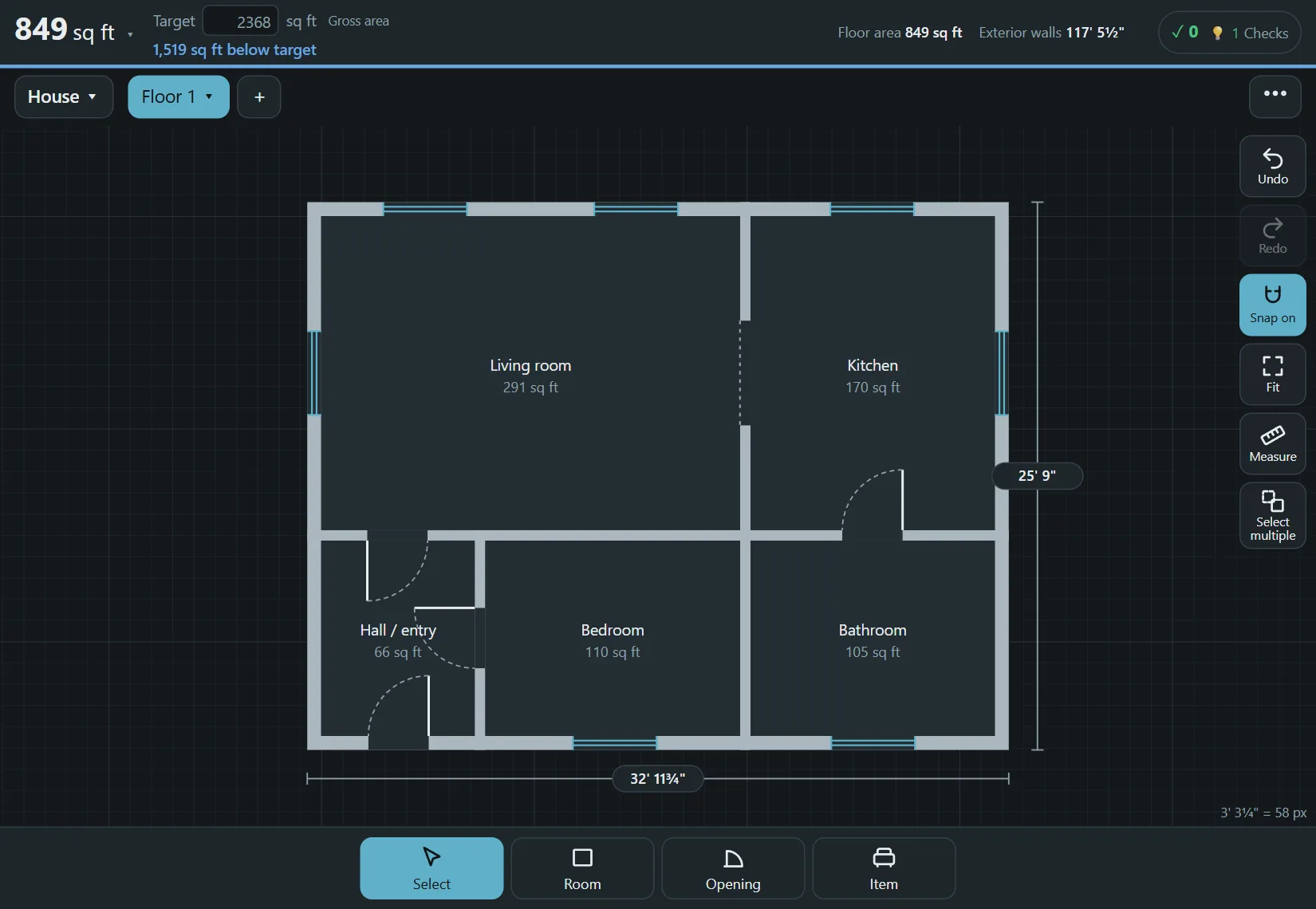
The whole editor is free. You can draw rooms of any shape, add doors, windows, stairs and furniture in real sizes, work on several floors, and watch the areas update as you go. You can also add the plot and a rough cost estimate, make copies of a plan to compare layouts, and print or save a PDF to scale.
Plans are saved in your browser as you work, and you can share one as a link or a file. Some extras may become paid in the future; saving and printing your own plans will stay free.
How to draw your first floor plan
- Choose Room, then drag a rectangle, or tap the corners one by one for an L-shape or any other outline.
- Tap a length on the plan and type the exact size, for example 12' 6".
- Choose Opening to add doors and windows, and Item for furniture and appliances. Each comes in a real size.
- Use the plus button next to the floor name to add another floor, and watch the area total at the top.
- Open the menu and choose Print / save as PDF when you want a copy on paper.
Why this matters when you compare tools
Many free floor plan tools ask for an account before you can save or export, put a watermark on the result, or limit how many plans you can keep. Floorprint does none of that, so you can try a layout, throw it away and try another without handing over an email address. The other side of the deal is that your plans live on your device, so save a backup file now and then.
Questions
What is free?
The full editor, saving plans in your browser, sharing by link or file, and PDF printing. Some extras may become paid in the future.
Is there a watermark on my PDF?
No. Printing and saving a PDF never adds one.
Do I need to download anything?
No. It runs in the browser. You can install it like an app if you want to use it offline.
Does it work on a phone or tablet?
Yes. It is made for touch screens as well as for a mouse.
Where are my plans stored?
In your browser, on your device. They are not uploaded to a server.
Start drawing
No account and nothing to install. Open the planner and draw your first room.