 Floorprint
Place your house on the plot and see the setbacks
Draw the outline of your plot, add a setback distance, and move the house around. Floorprint shows the distance from the building to each boundary and warns when something is beyond the setback line. In the US a plot is usually called a lot.
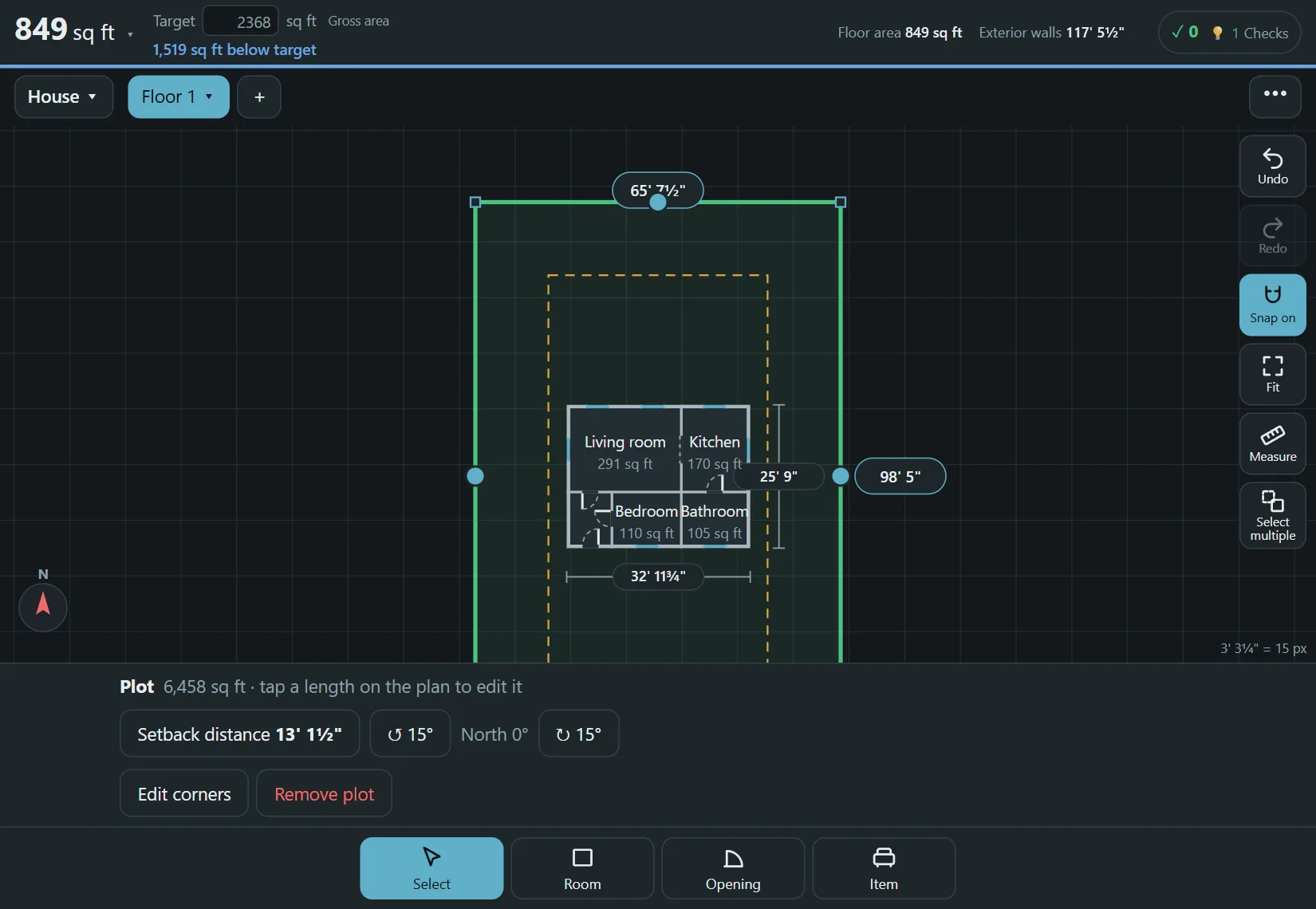
How to set up the plot
- Open the menu, choose Add plot, and type the length of each side. The plot is a polygon with straight sides, so it can have any number of corners.
- Set the setback distance. The setback line is drawn inside the boundary.
- Rotate the north arrow to match the plot, so the sun and the orientation read correctly.
- Move the building and watch the distances, the plot area and the share of the plot that the house covers.
What you can read from it
As you move the house, the distances to the boundary update on the plan. The plot area and the share covered by the building are shown as well, which is the figure that some places call lot coverage. Moving a porch or an extension a little and watching the numbers change is a quick way to see what fits before you talk to a designer.
What it does not do
Floorprint does not check building rules. It measures the distances and shows your own setback line. Setbacks, coverage limits and height limits differ between countries, municipalities and even zones, so take the real values from the local planning authority and type them in.
Questions
Does it check building rules?
No. It only measures the distances and shows the setback line you set. Rules differ by country and municipality, so check them with the authority.
Can the plot have any shape?
Yes, it is a polygon with straight sides.
Can I have several buildings on the plot?
Yes. You can add more than one building and see how they sit on the plot.
Start drawing
No account and nothing to install. Open the planner and draw your first room.